Story mode
Story mode turns a diff into a guided review. Instead of reading files alphabetically, you get a review brief and an ordered set of review steps that tell the story of the change, with reviewer focus areas pinned to the lines that deserve attention.
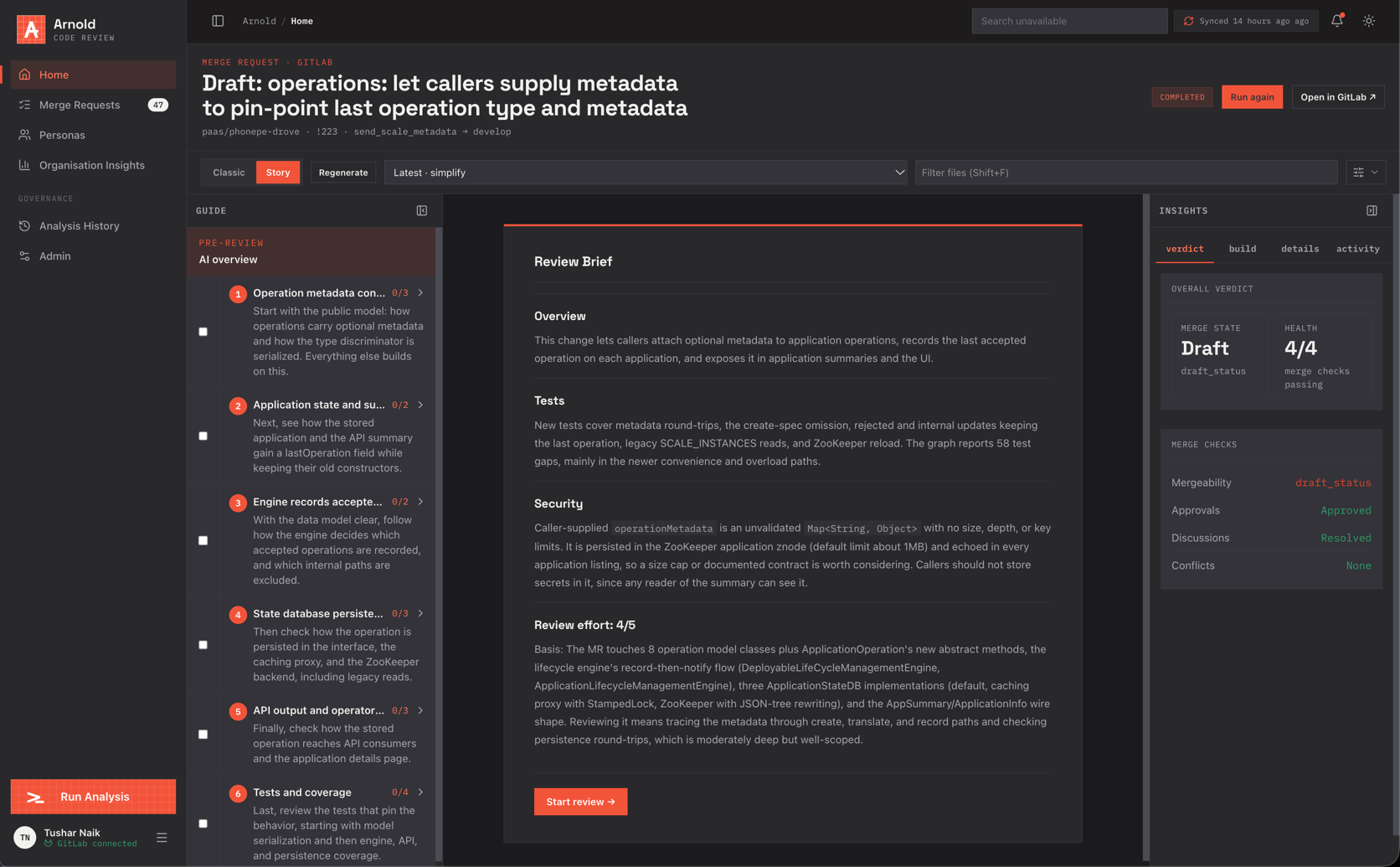
Generate a story
- Open a change request and switch the organisation tab to Story.
- Pick a harness and model (the same choices as Run analysis).
- Click Generate story. A runner job (
smart_diffworkflow) analyses the change; a link to the job's pipeline is shown while it runs.
The story is tied to the head commit. After new pushes, Regenerate builds a fresh one. If generation fails or times out, the classic diff is still available.
Review brief
The pre-review brief summarises the change before you read code:
- Overview: what the change does;
- Tests: what is covered and the notable gaps;
- Security: risks worth checking;
- Review effort: a 1–5 estimate with its basis.
Start review → moves to the first step.
Review steps
Each step groups related hunks across files ("Operation metadata contract", "State database persistence", "Tests and coverage"…), in an order that builds understanding: contracts and models first, then behaviour, then persistence, APIs and tests. A step has:
- a title and a short description;
- Why this matters and what to inspect;
- the hunks to read, with a counter of hunks reviewed (
0/3); - a checkbox to mark the step complete (saved per user).
Reviewer focus areas
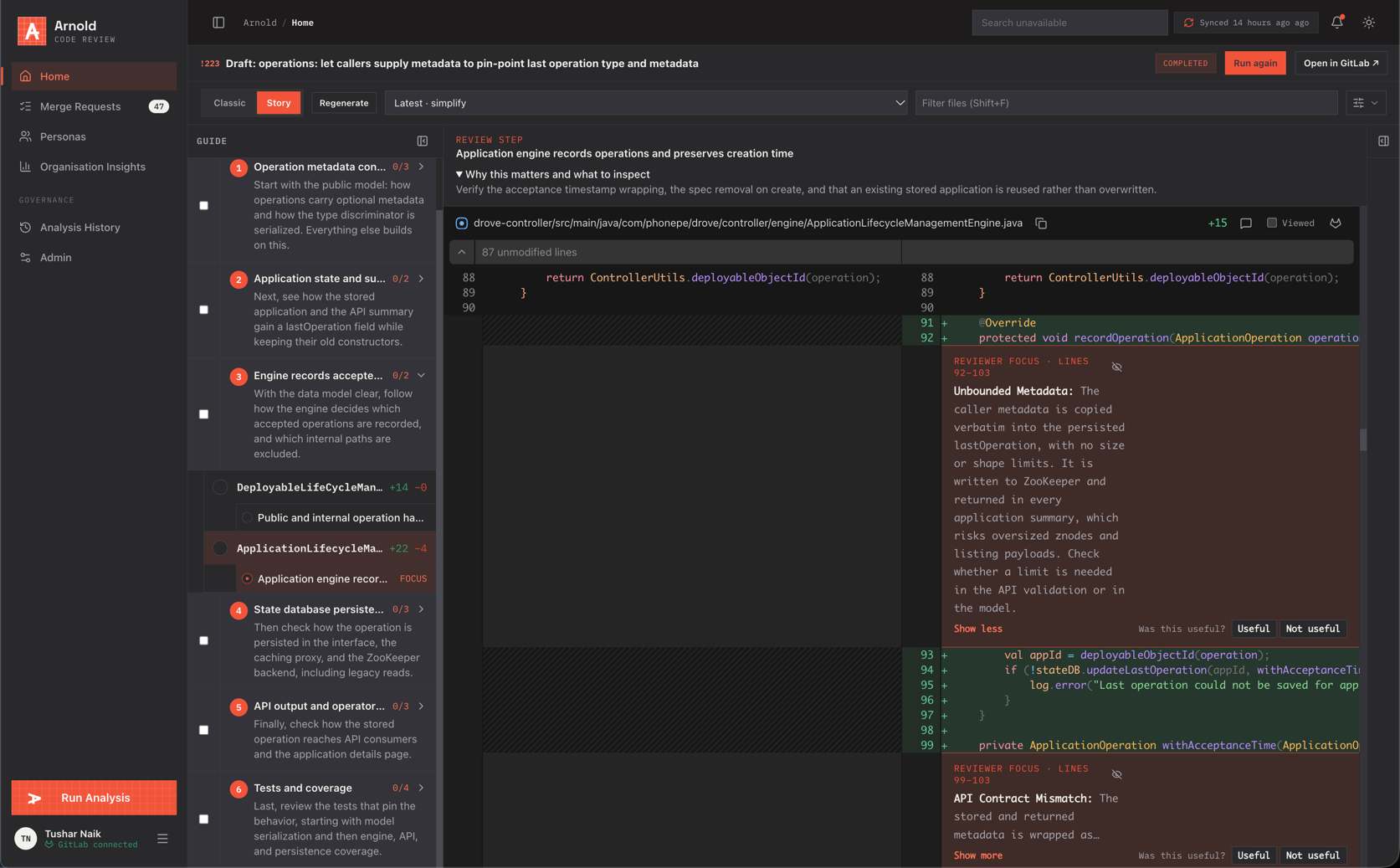
Focus areas are inline callouts on specific line ranges: Reviewer focus · lines 92–103, with a title such as Unbounded metadata and an explanation of what to verify. They point a human reviewer at the risky parts; they are not posted to the forge.
Rate each one Useful or Not useful. Feedback is stored with your review progress and helps tune the workflow. Hide focus areas with the eye icon.